by
by 
When it’s time to file your federal excise returns, the form is the easy part. Getting the numbers into it isn’t.
Until now, Dx5 showed you your excise data in month-oriented views that didn’t line up with TTB filing periods. This meant you had to export it, re-sum it in a spreadsheet, and hand-key the totals onto Form 5000.24. Every one of those steps is a chance for a number to drift from your system of record.
What changes for your return?
Our new Federal Excise Return report lives under Reports, on its own page built around filing periods instead of months. It lists every return period you’ve completed, sorted most recent first. Each row has a Generate PDF button. Click it, and Dx5 produces a TTB Form 5000.24 pre-filled from your excise data, ready to review and download.
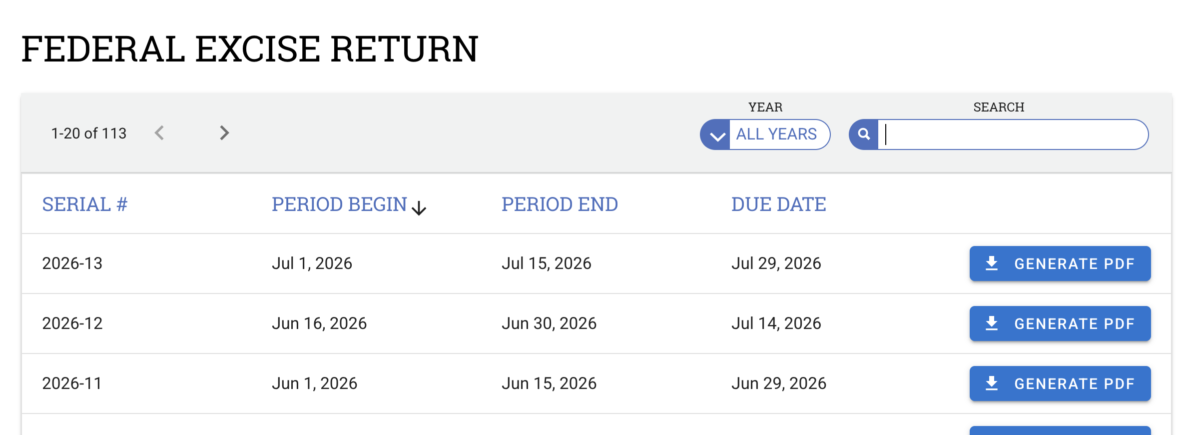
The form comes back with the fields that come from your data already in place: serial number, return period dates, EIN, DSP number, organization name and address, and the distilled spirits tax on Line 9, carried through to total liability and amount to be paid. The fields only you can complete, payment method, signature, date, stay open and editable. You review, finish the form, and file.
Built around how federal excise filing works
The report follows the TTB schedule, not a generic calendar. Serial numbers run per organization and reset to 1 each January. Due dates that land on a weekend or federal holiday shift to the prior business day. And September’s semi-monthly filing, which splits into three periods with an EFT cutoff on the 25th or 26th depending on your setting, is handled from the EFT setting you already have.
There’s one more change worth calling out: Annual is now a valid Federal Excise Tax Cycle. If you file once a year, set it in Tax Settings and you’ll see a single return period for the full calendar year.
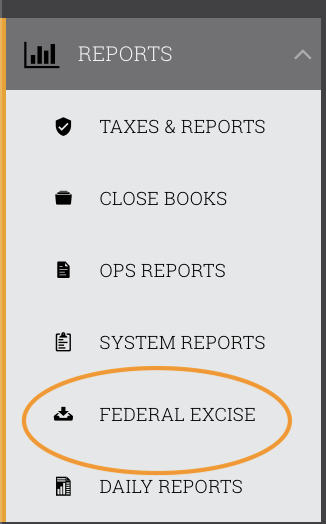
Now, the numbers you already trust in Dx5 land on the form you actually file. If you file federal excise returns in the U.S., you’ll find it under Reports → Federal Excise Return.